Help
Create an account
Anyone 16 or over can have an account. It takes about a minute. If you are 16 or 17, see also the guide for under-18s.
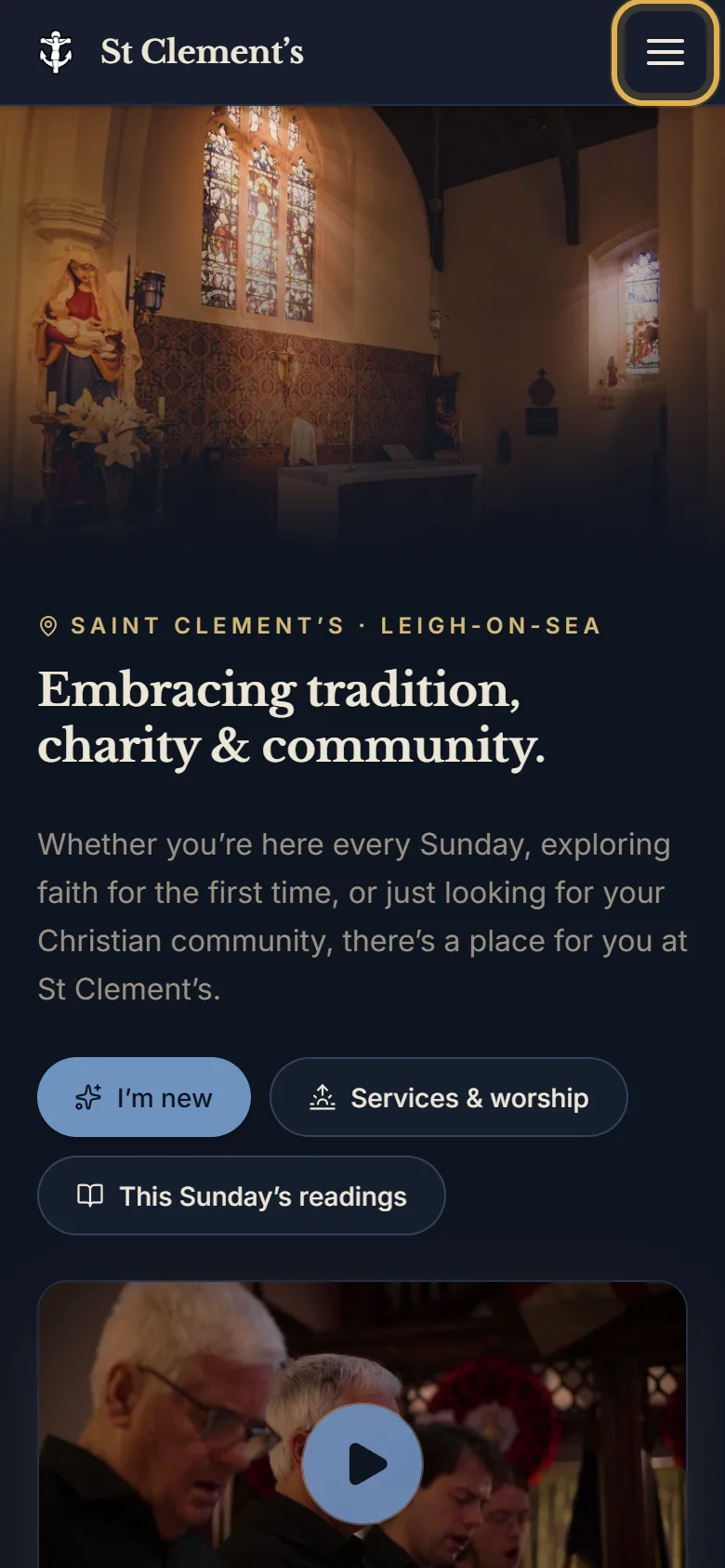
On a phone, tap the menu button at the top right.
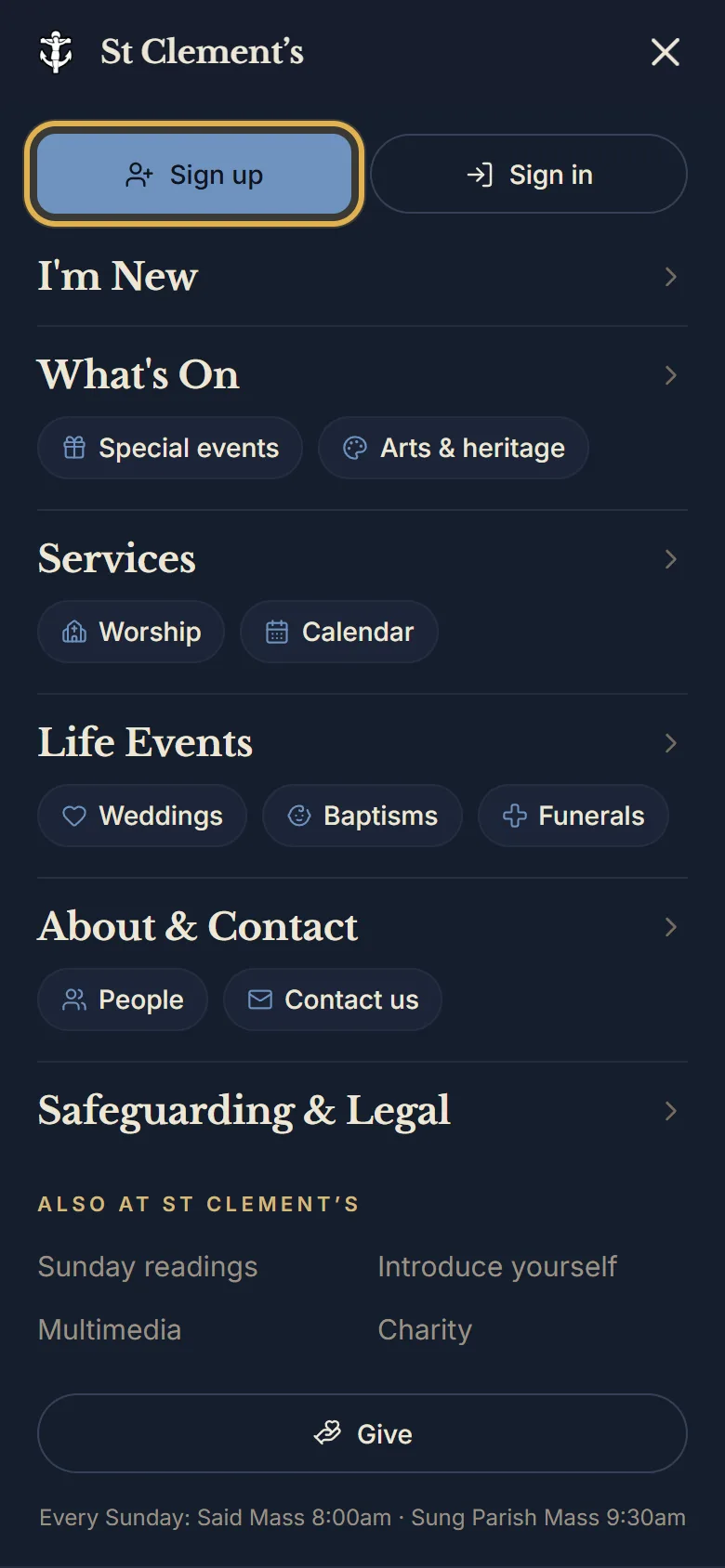
Tap Sign up. On a computer, choose Sign in at the top right, then New here? Sign up.
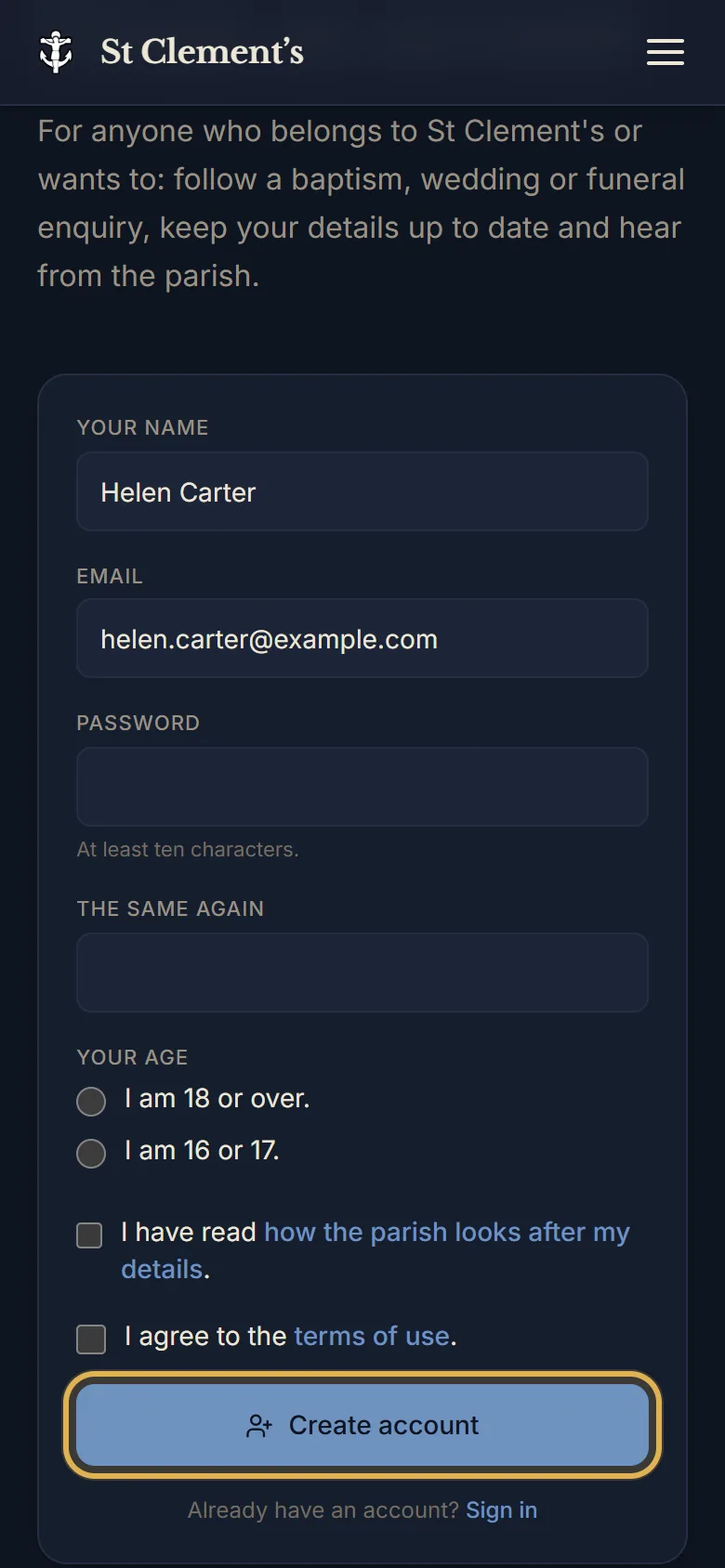
Fill in your name, your email address and a password of at least ten characters. A short sentence makes a good password. Choose your age (18 or over, or 16 or 17, with the month and year you were born), tick the two boxes, then tap Create account.
The parish sends you an email. Choose Confirm my email in it, and the link brings you back to the website to finish.
Read the two short documents, how the parish looks after your details and the terms of use, and tick both to carry on.
To see the member directory and message other members, ask to join the parish. The office or the Rector approves each request.